A native macOS terminal built for running many Claude Code agents at once — so you always know which one is blocked, working, or waiting on you.
Signed & notarized by Apple — opens cleanly on Gatekeeper.
Press ⌘G to jump straight to the next WAIT agent.

Running N Claude Code agents in a stock terminal turns into tab roulette: you Cmd-Tab through windows, scan panes, miss the one waiting on you.
termy pulls that state out of the panes and into a glanceable dashboard.
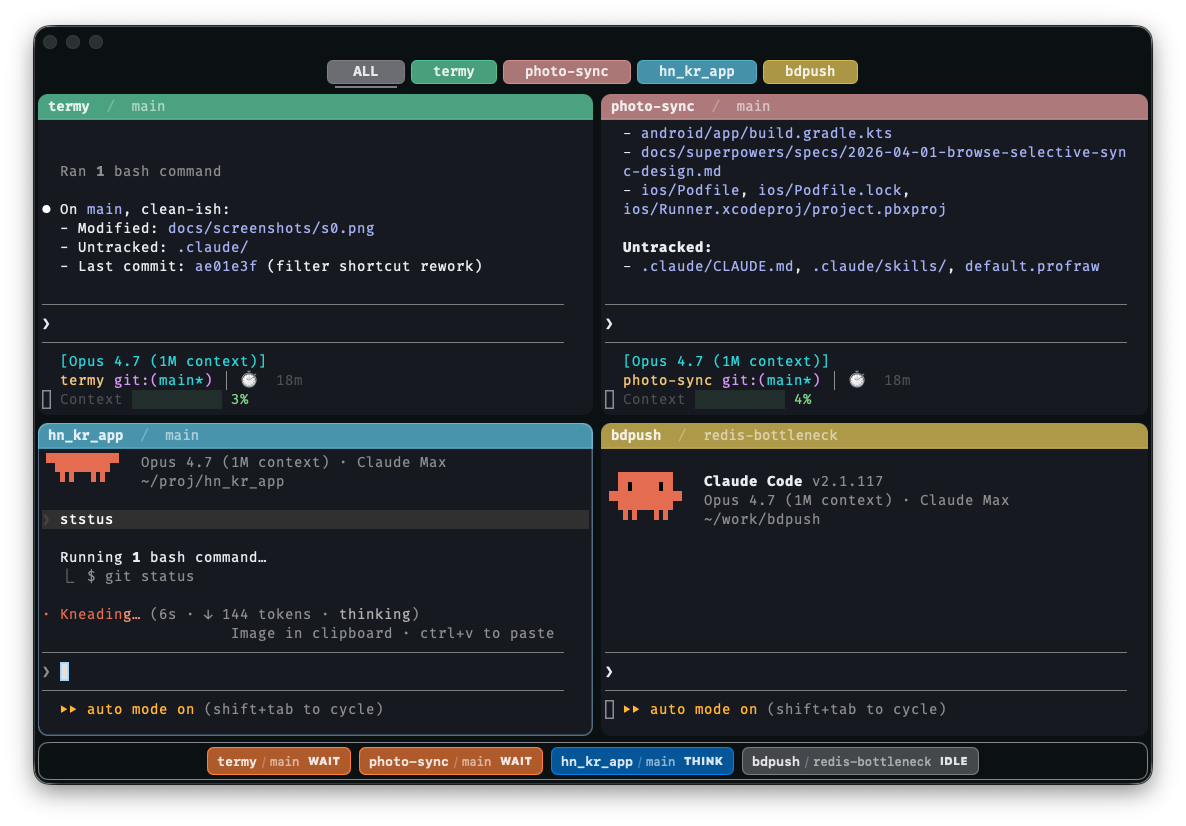
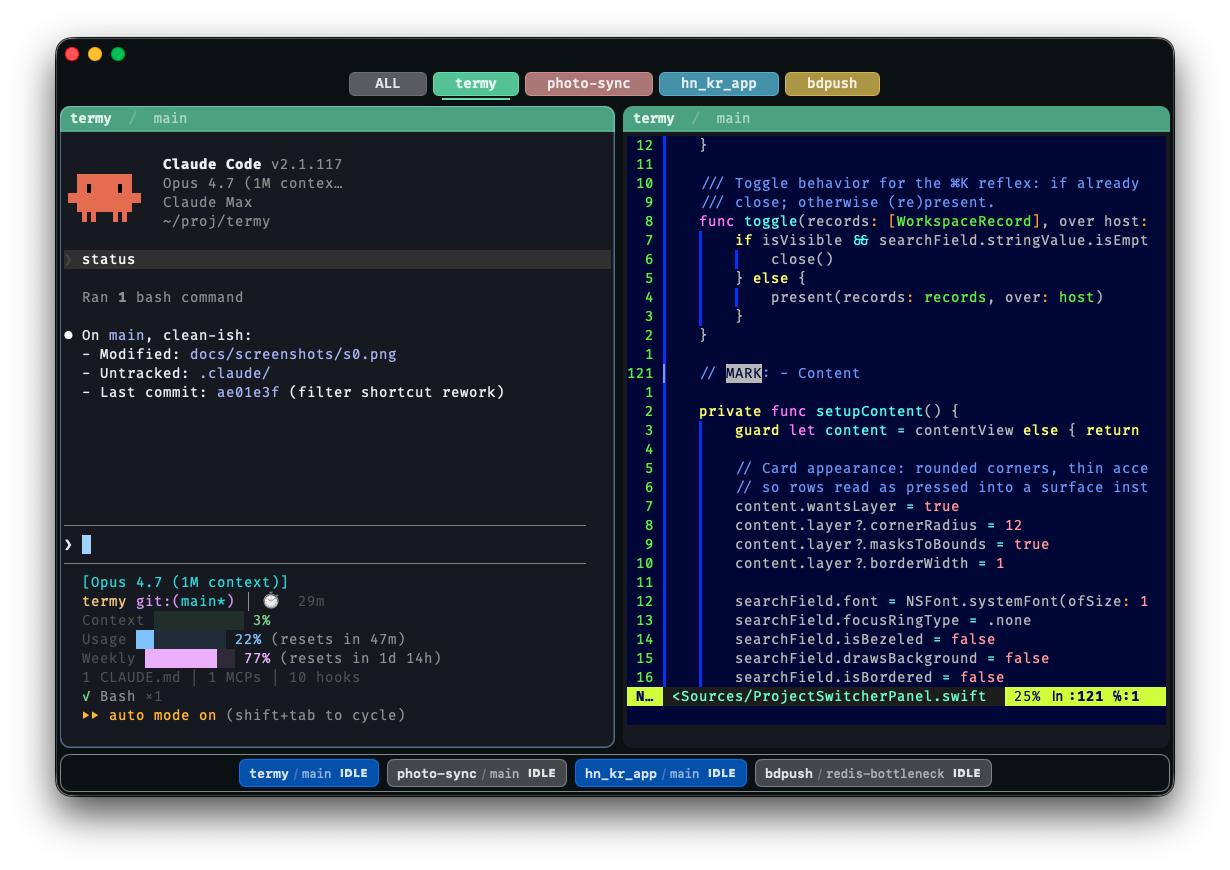
Every running agent gets a chip at the bottom showing live status —
IDLE,
THINK, or
WAIT.
The moment a permission prompt fires, macOS notifies you — and ⌘G jumps you straight to that pane.
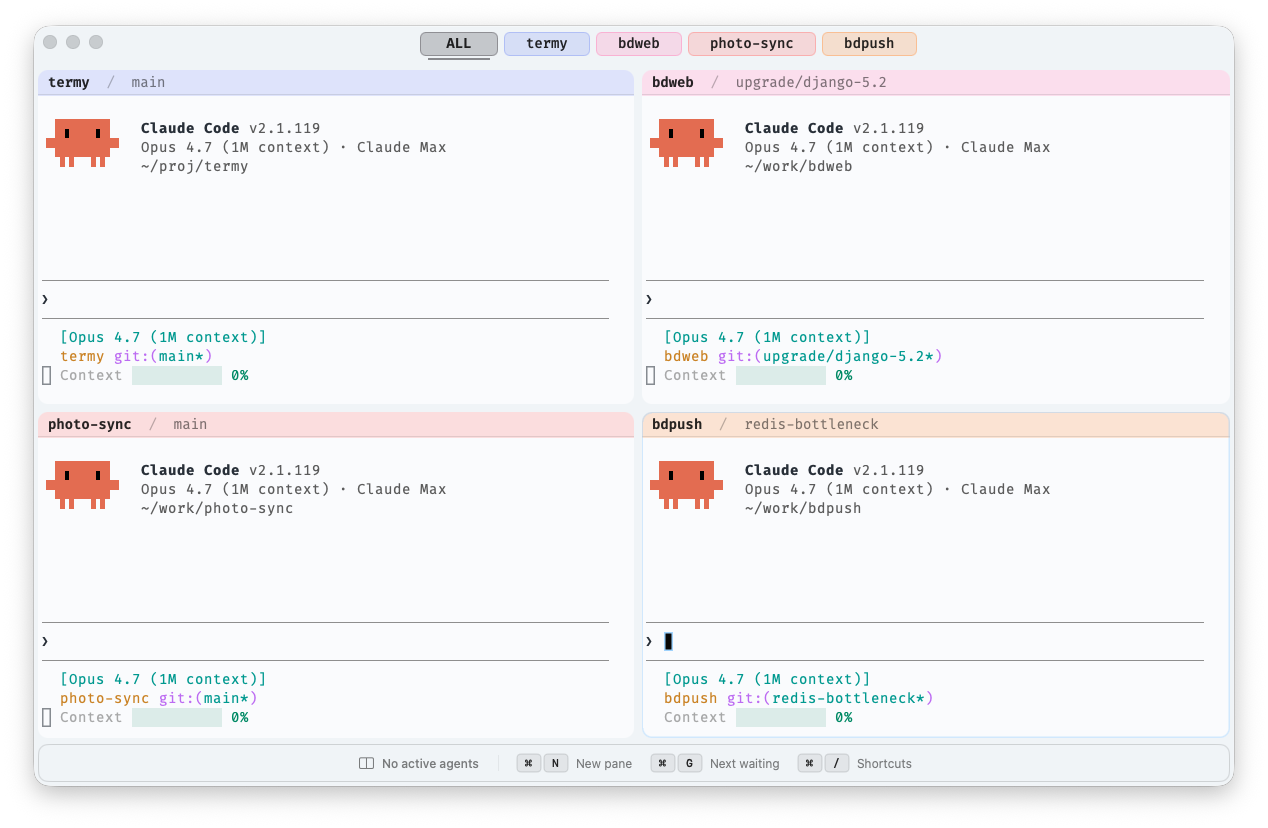
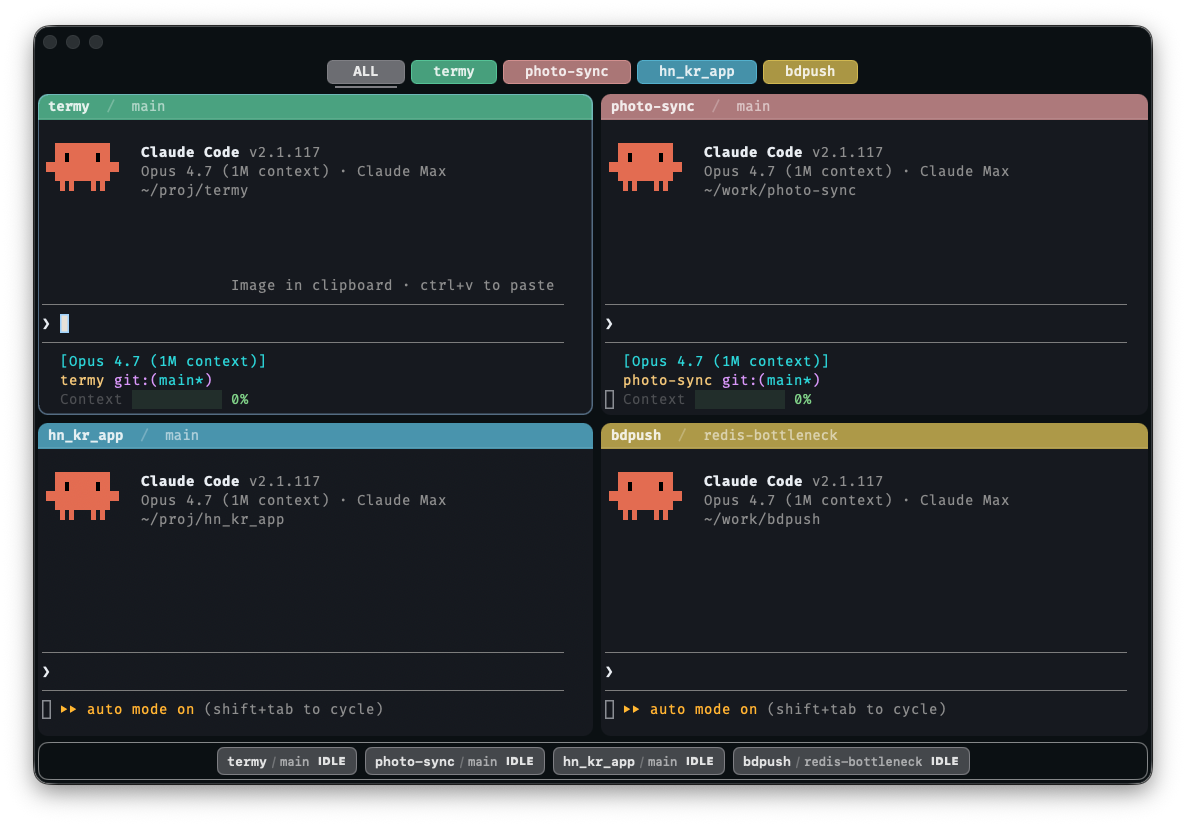
Every pane is grouped by its cwd into a project. Same project gets the same pastel accent — pane header, dashboard chip, filter pill — all the way through. A four-agent window stops looking like a soup of identical black rectangles and turns into something you can read at a glance.
Numbered pills appear on the top filter bar. ⌘0 shows all, ⌘1–⌘9 jump to that project's pane grid in one keystroke.
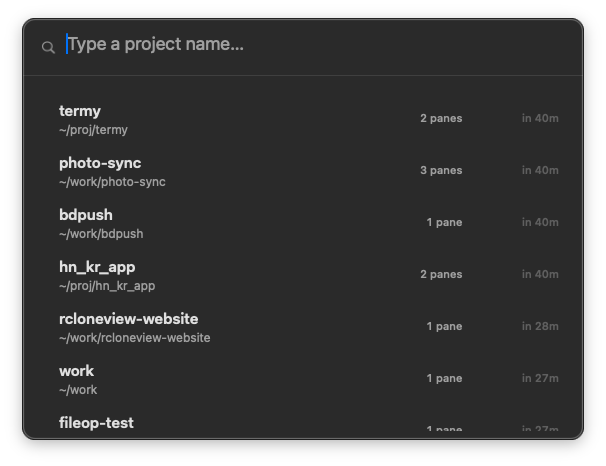
Fuzzy-match across every project termy has ever seen — pane counts and last-used timestamps included. Pick one and termy rebuilds the saved pane grid you left it in.
Every running Claude Code gets one chip in the bottom strip — showing project / branch and live state. Hold ⌘⌥ for numbered badges so you can jump directly to a chip.
The agent is at the prompt with nothing running.
A tool call is in flight. The model is doing work.
Blocked on a permission prompt. Your attention needed.
⌘G jumps to the next WAIT pane — across splits, across project filters. The single most useful keystroke in the app.
Pane border, dashboard chip, and a macOS notification — all driven by Claude Code's
Notification and
Stop hooks.
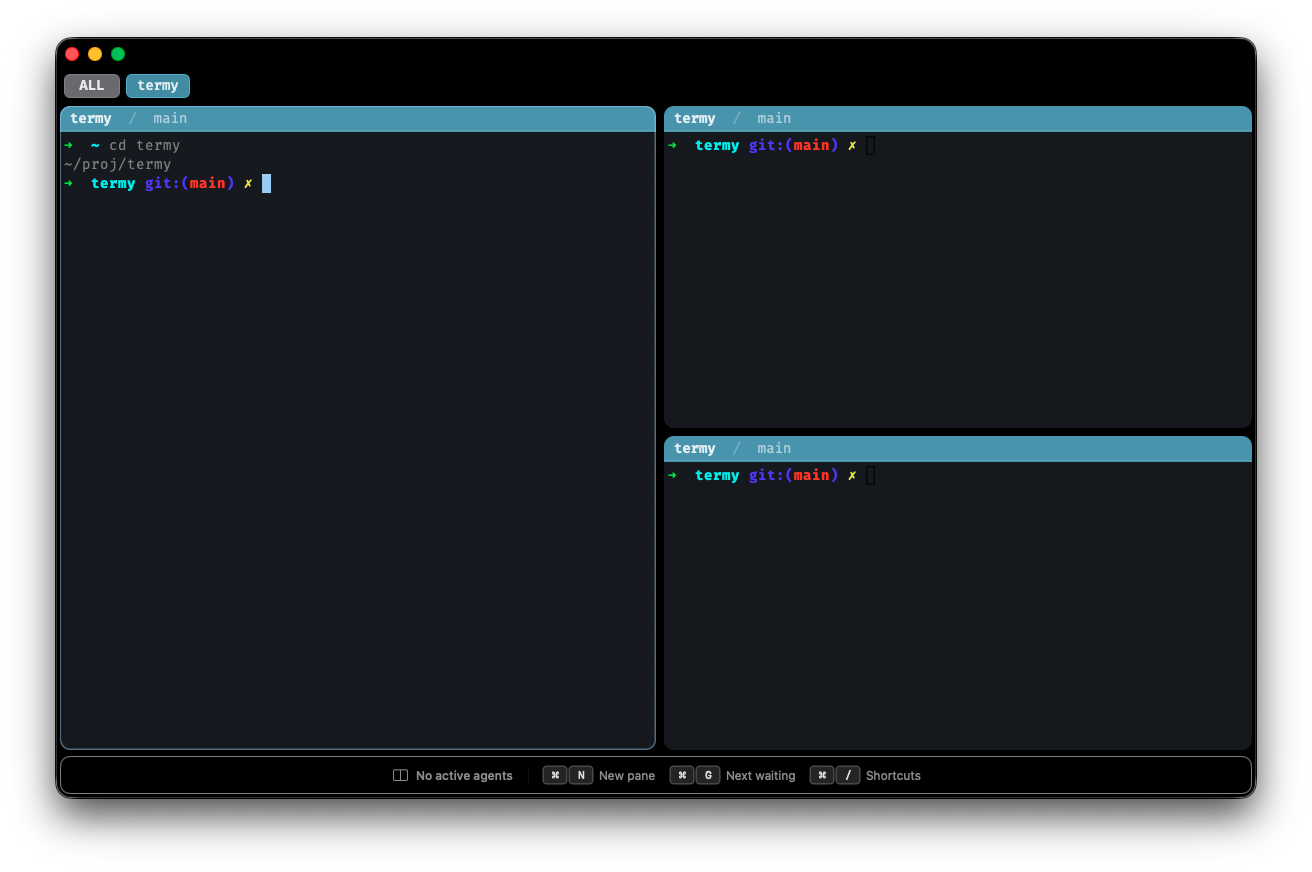
Real splits backed by nested NSSplitView.
Drag to resize. ⌘D for a row split, ⇧⌘D for a column,
⌘N for an auto split that picks the orientation based on aspect ratio.
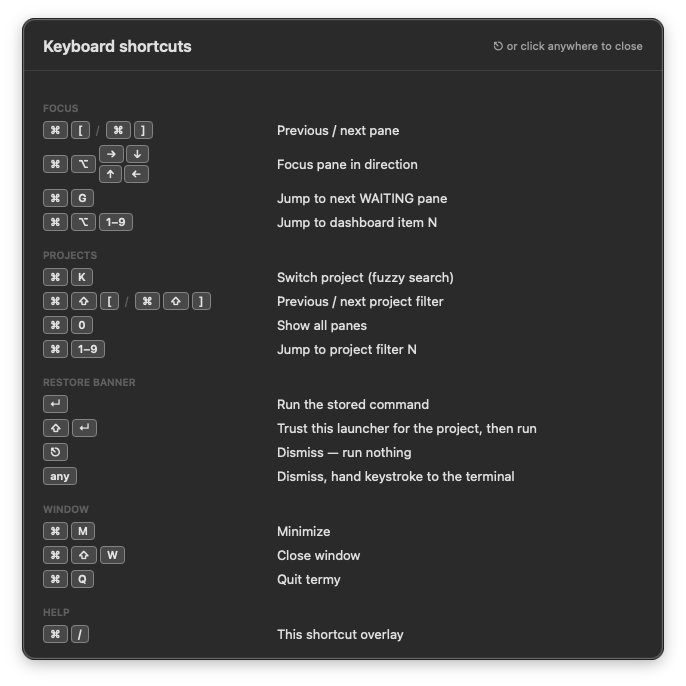
The full shortcut map — focus, projects, splits, window. No hidden bindings.
Light, Dark, or Match System. View → Appearance switches the terminal, chrome, and dashboard together.
Claude flips to WAIT → macOS pings you, even if termy isn't focused.
Splits, project grouping, and cwd are all persisted per project. ⌘K a project and termy rebuilds the pane grid you left it in.
⌘D row, ⇧⌘D column, ⌘N auto split. Drag the dividers. ⌘⏎ toggles maximize.
AppKit + SwiftTerm. 3 MB signed DMG,
~7 MB installed. Real UserNotifications, Full Disk Access, titlebar chrome.
Move through N panes without ever touching the trackpad.
Claude Code's hook system, a tiny CLI helper, and an in-app actor cooperate to produce the state.
Claude Code ──hook──▶ termy-hook (CLI) ──unix socket──▶ HookDaemon (in-app actor) │ ▼ PaneStateMachine │ ▼ MissionControlView + Notifier
/tmp/termy-$UID.sock.termy-hook end-to-end